A beginner’s guide
to digital wallets
Digital wallets are a relatively new and highly convenient payment method for many consumers. With more and more merchants equipped to allow contactless payments from a mobile device, the days of carrying a physical wallet may be numbered.
Learn more about how digital wallets work, the different types, the security features that keep your account information safe, and how to set up a digital wallet on an Android or Apple device.
What is a digital wallet?
A digital wallet is a mobile app that securely stores your payment information, such as credit card or debit card numbers, so you can make an in-store payment from your phone or smartwatch. The wallet uses tokenization that hides your card numbers, so your transactions are secure.
What is a mobile wallet?
A mobile wallet is a type of digital wallet, and you can only use it on a mobile device. Mobile wallets can often store more than your credit or debit card information. You may be able to store event tickets, membership cards, plane tickets, gift cards, and other data to get even more use out of it.
Examples of mobile wallets include Apple Pay, Google Pay, and Samsung Pay. Your device determines which mobile wallet you have. For instance, iPhones use Apple Pay, while Android devices typically use Google Pay. PayPal, on the other hand, is a digital wallet that can also work without a mobile device, such as from your home computer to make online purchases.
How does a digital wallet work?
A digital wallet is a virtual payment method that’s connected to your bank account or credit card of choice. At checkout, your digital wallet wirelessly sends your encrypted payment information to the point of sale system or card reader. The information is then routed through the payment network.
Here’s a breakdown of what a digital wallet transaction looks like:
- You set up your digital wallet on your device with payment methods and card information.
- When you make an in-store purchase, you open your wallet and hold your mobile device over the payment terminal or card reader. Your mobile device asks you to verify your identity with either facial recognition, a passcode, or your fingerprint.
- The digital wallet tokenizes your payment information to avoid using your actual account number.
- Near-field communication (NFC) technology transfers the information from your digital wallet to the payment terminal wirelessly. In some cases, a transaction will use QR codes or magnetic secure transmission instead.
- The rest of the process follows the standard debit or credit card transaction route. The payment processing company relays your payment information to the payment network, which requests authorization for the transaction from the issuing bank.
- Within a few seconds, the transaction is approved (as long as you have the funds or credit line available).
Types of digital wallets
There are three main types of digital wallets: open, semi-closed, and closed.
- Open digital wallets provide the most flexibility.
- Closed digitals wallets are usually tied to one specific retailer or brand.
- Semi-closed digital wallets fall somewhere in the middle of open and closed options.
With the popularity of mobile payment apps, many consumers use a combination of these digital wallet types. For example, you may use an open digital wallet to make online purchases or send money to a friend. Then you may use a semi-closed digital wallet to pay a local service provider. As for closed digital wallets, these are useful for purchasing items from a single brand.
Take a closer look at the key differences between these digital wallet types.
Open digital wallets
An open digital wallet allows you to make transactions with a wide range of merchants who accept that payment method. Users can also transfer funds between bank accounts and complete ATM transactions.
Semi-closed digital wallets
With a semi-closed digital wallet, users can only pay people or businesses who also have an agreement with the wallet provider, per VISA. For example, if you want to send money using a particular platform, the person you’re paying must also use that platform.
Closed digital wallets
Closed digital wallets are payment apps that only work with one merchant or vendor, such as your preferred coffee shop or online retailer. You can load money into these wallets/apps and only spend that money at that particular vendor.
How to use a digital wallet
Using a digital wallet is simple for anyone who owns a smartphone or a smartwatch. You just have to set up the digital wallet app and add your payment methods. Then, the digital wallet can access a virtual version of your payment information when you’re ready to check out or send money.
Here’s what you need to do to start using a digital wallet:
- Locate the digital wallet app. See if your mobile phone is pre-loaded with the mobile wallet app of choice. For example, iPhones come with the Apple Wallet installed. If you want to use a third-party digital wallet app, you can search for it in your phone’s app store and download it.
- Set up the mobile app with preferred payments. Digital wallets must be connected to a bank account, debit card, or credit card. Enter your account details and set one as the default payment option. You can add new cards or change your preferences any time. Remember, the app doesn’t actually save your card information. Virtual card numbers are assigned instead to protect your information.
- Begin using your digital wallet to make payments. For in-store shopping, just open your app and hold your phone over the point-of-sale system or card reader; it’s similar to using a credit card with a chip. The system typically asks you to confirm your identity on your device using whichever security feature you set up.
- Use your digital wallet at the ATM. With some banks, you may be able to use your digital wallet in lieu of your physical debit card to perform ATM transactions such as cash withdrawals.
- Pay for in-app and online purchases. You can also use your digital wallet to shop online or through an app. This adds a layer of security, which is important for digital payments.
- Receive instant transaction confirmation. As soon as your digital payment goes through, you’ll receive a notification in your digital wallet.
Pros and cons of digital wallets
Digital wallets are more ubiquitous, but like any other technology, there are benefits and drawbacks to consider.
Pros
- Convenience: If you bring your smartphone with you when you leave the house, you may enjoy not needing to take out your wallet when making a purchase. Also, you’re less likely to lose your debit or credit card if you’re removing it from a wallet less often.
- Secure transaction: Mobile devices use facial recognition, a passcode, or other biometric data to secure your digital wallet app. From there, NFC technology encrypts your card numbers, so even if the transaction is intercepted, criminals can’t access your information. However, you may want to safeguard your device with screen locks and other security measures in case your phone is lost or stolen.
- Go cashless: Some digital wallets let you send money to other people using the same app, which can be helpful if you’re splitting the bill at a restaurant or other outing.
Cons
- Not all merchants accommodate digital wallet payments: Depending on where you shop or do business, you may still need to use physical cards or cash for certain purchases. For example, some small shops or vendors may not be set up to accept your digital wallet of choice.
- If your phone dies, you can’t access your digital wallet: Smartphones become useless once their batteries are drained.
- Digital wallets may not be for everyone: Not all consumers are tech savvy and have smartphones, and some prefer to use cash for every purchase.
Summary
Digital wallets are likely here to stay as more people adapt to the technology and more merchants accept it. Understanding how they work, as well as their pros and cons, can help demystify the process.

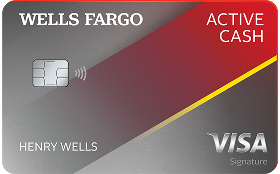
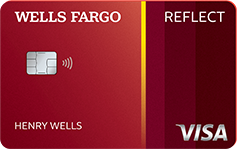
Experience more as a Wells Fargo credit cardholder
From cash rewards to low intro APR, to rich rewards – Find the credit card that’s right for you. That’s real life ready.
Find the credit card
that's right for you.
