Tracking and monitoring
credit card purchases
with banking apps
Establishing healthy money habits and a solid financial foundation takes effort and planning, but it may pay off in the form of financial security. This is why it’s helpful to avoid being irresponsible with credit cards, because it can threaten to derail those efforts.
Taking charge of your personal finances usually involves developing and sticking to a monthly budget. Another step is tracking and monitoring your credit card accounts and keeping tabs on your credit score. The good news is, credit card companies offer apps that are preloaded with money management tools, which can then deliver real-time notifications and insights to help you track your spending habits.
Learn more about how credit card apps can help you manage your finances.
Track and monitor your credit card spending
When you use credit cards, it can be very easy to spend more than your budget allows. This is because it may not feel like you’re using “real money.” For example, when you use a card, you’re not physically taking cash out of your wallet to make payments. You’re also not using your debit card and having money deducted directly from your checking account.
As a result, cardholders are sometimes caught by surprise when they open their monthly statement and see that they spent considerably more than they thought. If the balance is more than they can afford to pay in full, they may carry some of it over with the addition of interest charges. If this type of overspending becomes a habit, it may lead to more serious credit card debt struggles.
One way to get a better handle on your cash flow and avoid credit card balance creep is to set up a system that monitors dollars in and dollars out. You can then use that information to create a budget.
You can start by looking over your past credit card statements and bank accounts to see where your money has been going, and make adjustments accordingly. Moving forward, you can take advantage of monitoring and reporting tools that are built directly into your financial accounts and credit card apps.
Review accounts and statements in mobile apps
Looking at your credit card statements carefully each month is helpful for several reasons.
- First, you’ll be able to spot any errors or potential fraudulent activity and report it in a timely manner.
- Second, this kind of monitoring helps you to stay mindful about your purchases and recognize when you may be spending beyond your budget. Some credit card apps allow you to sort and categorize your transactions, too. For example, you may be able to see how much you spent during a certain time period on groceries versus transportation.
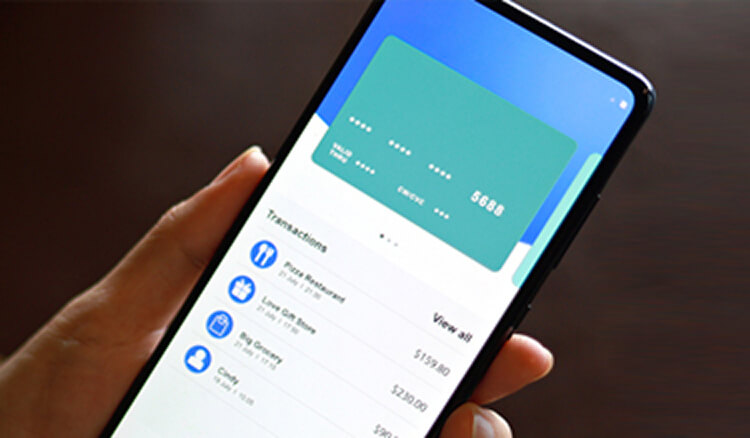
You may also want to periodically log into your credit card mobile apps to see a snapshot of your account in real-time. It will display your current balance, recent transactions, pending transactions, and more. You can also set up alerts and notifications in your app to let you know when you’re approaching a specific balance amount.
Develop healthy spending habits
Once you assess how much money you have coming in and your typical monthly spending habits, you can identify areas that may need improvement.
For example, you may analyze your credit card statements and realize you are overspending on take-out and restaurants. Moving forward, you may decide to limit yourself to one meal out per week. Another thing to look at is recurring payments. Consumers often find that they have multiple subscriptions or memberships that they no longer use but still pay for every month.
Some other healthy spending habits related to credit that you may want to incorporate include:
- Setting a maximum credit card spending limit per month that you can afford to pay in full, and making sure you don’t go over.
- Creating a separate savings account for “fun.” If a purchase comes up that’s outside of your normal budget, such as concert tickets, this allows you to have the funds available to pay for it.
- Practicing delayed gratification by saving up for items you want rather than relying on your credit card to buy things you know you won’t be able to pay back for a long time.
Credit card app features
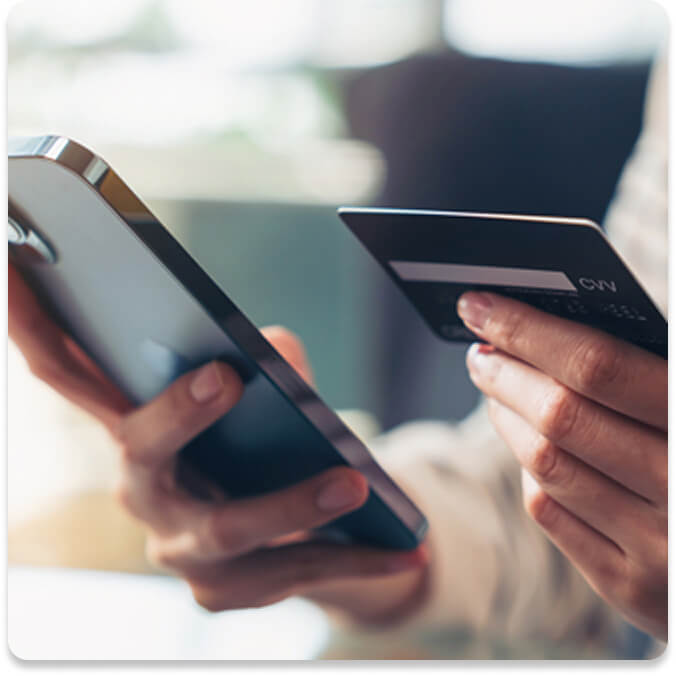
Credit card issuers provide a number of tools and features both online and in their apps to help cardholders manage their accounts. Regularly using your card app can help you monitor your account activity, keep tabs on your spending, review your rewards (if applicable), and learn about special card offers.
Apps also offer a convenient way to pay your bill right from your smart device. With some cards, you may be able to get customer service assistance through your app, see your credit score, and redeem rewards.
Custom alerts
Setting up alerts and notifications is helpful for keeping track of any spending and account activity, as well as any purchases made by authorized users on your account. You can typically decide which types of alerts you want to receive, how often you want to receive them, and how you prefer to be notified.
Here are some customized alerts you may be able to set:
- Transactions: You can choose to be alerted for every credit card transaction, or you can set notification parameters such as for purchases over a certain dollar amount.
- Spending levels: You can receive a text or push notification when your balance reaches an amount you set. This can help to prevent spending beyond your budget.
- Authorized user purchases: If you have other users on your account, you can request notifications whenever they complete transactions.
- Payment reminders: As your due date approaches, you can receive a push notification so you don’t forget to set up your payment.
Redeeming credit card rewards
If you have a Rewards credit card that earns Cash Back or points, you may be able to use your card app to track and redeem rewards. Depending on the rewards program, you can choose to redeem for a statement credit, gift cards, travel, or merchandise.
Checking balances
With your credit card app at your fingertips, you can look at your balance any time. Getting in the habit of looking a few times per month may help you avoid being blindsided by a large bill.
Paying with a digital wallet
Digital wallets offer convenience and a layer of protection because they encrypt your actual card number. Your credit card app may have an option to add your card as a payment method into your digital wallet with just a couple of taps. This saves you from having to enter your card number manually.
Bill payments
Credit card apps can come through in a pinch if you realize you need to make a bill payment but you don’t have access to a computer. You may also be able to schedule a future payment and view your payment history in your app.
General banking apps
In addition to your credit card apps, general banking apps connected to your checking and savings accounts can be helpful tools for managing your finances. Banking apps provide similar features to your credit card-specific apps, but they may have other functions that allow you to perform banking transactions and monitor account activity.
Tip: If you happen to have a credit card that’s issued by the same bank where you have a checking and/or savings account, you may be able to manage all of your accounts from one app.
Transfer money between accounts
Banking apps usually let you transfer funds instantly from one bank account to another within the same institution. For people with budget and savings goals, this may be helpful. For example, you may underspend one month, or you may receive a windfall of extra cash. In situations like that, being able to move some of that money into savings in a few seconds may help fasttrack your goals. In contrast, if you leave the money in your checking account, you may be more likely to spend it.
Funds transfer is also helpful if you have to move cash from your emergency savings fund into your checking account to cover an unexpected event like an emergency plumbing repair.
Direct deposit
If you have direct deposit, you may be able to set your mobile app to alert you when your paycheck hits your account. Many banking apps also have mobile deposit capability, meaning you can snap a photo of a paper check and deposit it into your account of choice through the app. This can help prevent losing checks and save you from having to visit a local branch to make a deposit in person.
Spending and budgeting features
Banking apps may have features that let you see all your monthly spending by category and compare your income and expenses side-by-side. You may also be able to run reports on a certain range (such as quarterly or annually), which may be helpful for big-picture money discussions or during tax season.
Goal creation
Some personal finance experts recommend establishing different savings accounts for your various goals, but that can be a lot to manage. However, banking apps can make this easier because they let you see all of your accounts at once. Sometimes, you can even give your accounts nicknames like “vacation fund” or “new car,” which allows you to easily see your progress toward each goal in the app.
Free FICO score
With many banking and credit card apps, cardholders can view their credit score for free. Over time, if you make on-time payments and keep your balances low, you may see incremental increases in your credit score.
If you notice any significant drops in score, think about any recent activity that may be the cause. For example, did you apply for a new line of credit, or are you carrying a higher than usual balance? If you can’t pinpoint the cause of your score drop, dig a little deeper into your credit reports to make sure there are no errors or accounts that you don’t recognize.
Summary
Credit card apps can be excellent tools for keeping tabs on spending and general account management. For anyone on a budget, the ability to see transactions in real time and set notifications may help you stick to your goals. In addition, credit card apps offer other advantages, including allowing you to view your credit score and manage your rewards program. If your card issuer has a mobile app and you’re not using it, it’s worth checking out to see how you may benefit


Experience more as a Wells Fargo credit cardholder
From cash rewards to low intro APR, to rich rewards – Find the credit card that’s right for you. That’s real life ready.
Find the credit card
that's right for you.
